0:00
0:00
Speed
 By Muhammad Haris · November 13, 2026 · 13 min read
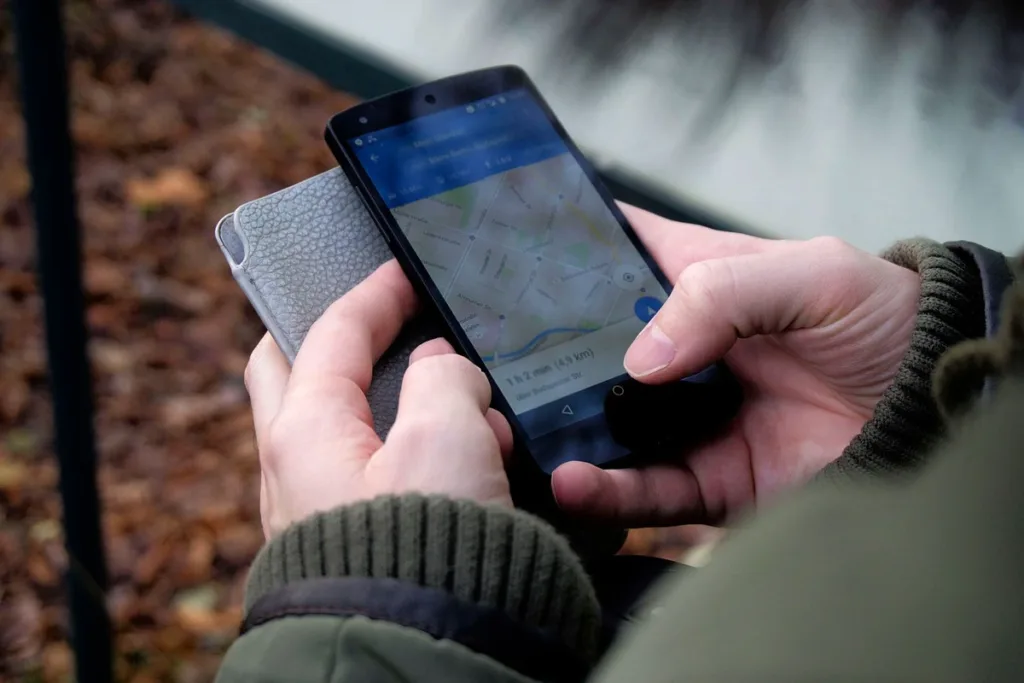
If you run a local business, the three listings at the top of Google Maps — the local 3-pack — are the most valuable positions on the internet for you. They sit above the organic results, they show your rating, your hours and a button to call you, and most people never scroll past them.
The questions business owners ask before they start are always the same: why is my business not showing on Google Maps at all? How long does it take to rank? Can I pay Google to put me higher? How many reviews do I actually need? And do I even need a website?
This guide answers all of them, in order, with the exact steps, the costs, and the timelines — no shortcuts, because Google itself says there are none.
Google ranks local results on three factors: relevance, distance and prominence.
You can improve relevance and prominence. You cannot change distance, and you cannot pay your way around it. Google states plainly that there is no way to request or pay for a better local ranking, and anyone selling you a guaranteed top-three position is selling something Google says does not exist.
That is the honest starting point. Everything below works on the two factors you control.
Your Google Business Profile is free, and it is the foundation of everything. Without a verified profile, you are not competing — you are invisible.
Search for your business on Google Maps first. If a listing already exists and you do not manage it, claim it. If none exists, create one at business.google.com and verify it. Verification is usually a video recording of your premises, a phone call, or a postcard — follow the option Google offers you and complete it the same day, because an unverified profile cannot rank.
One warning that saves people months: use your real business name, exactly as it appears on your sign and your paperwork. Adding keywords to the name — “Best Plumber Dallas Cheap” — breaks Google’s rules and can get the whole listing suspended. Google removed over 13 million fake Business Profiles in 2025, and name-stuffing is one of the fastest ways to join them.
If your business serves customers at their location rather than yours — a plumber, a cleaner, a mobile mechanic — set it up as a service-area business and hide your address. Google lets you list up to 20 service areas, and recommends keeping them within roughly two hours’ driving time of your base. Do not list a virtual office or a mailbox as a storefront; Google does not allow it.
Our full walkthrough covers the whole setup in detail: Google Business Profile Optimization Guide.
A half-finished profile ranks below a complete one. Go through every section and fill it in properly:
Check the profile against a competitor who outranks you, field by field. The gaps you find are your to-do list.
Listings with real photos get more calls, more direction requests and more clicks — and Google treats photo activity as a sign of a live, cared-for business.
Upload photos of your premises, your team at work, your products, and real completed jobs. Aim for at least 10 photos to start, then add new ones every month: a finished job, a new product, a team photo. Videos help too — a 30-second clip of your shop, your team, or a job in progress is enough.
Do not use stock photos of somebody else’s business. Customers can tell, and so can Google. A phone photo of your actual work beats a polished stock image every time.
Reviews are the strongest prominence signal you control. Three things matter: how many you have, how recent they are, and your average rating.
Volume first. A business with 80 reviews outranks a business with 8, all else being equal. But a steady flow beats a single sprint: Google weights recent reviews more heavily, so a business that collected 200 reviews five years ago and none since is losing ground to a competitor getting five a month. Ask every happy customer, every week, as a habit — a short text after the job with your review link is enough.
Rating second. A 4.0 average is the practical threshold for the top positions; below 4.0, appearing in the top three is rare. That does not mean chasing perfection — a 4.7 with 120 reviews looks more trustworthy than a perfect 5.0 with 6.
Recency third. Keep the flow going month after month. One review a week, every week, beats fifty in a single month followed by silence.
Then reply to every review, good and bad, within a day or two. Thank the happy customers by name and mention the service. For a bad review, stay calm, acknowledge the problem, and offer to fix it offline. Your replies are public, and future customers read them as a preview of how you treat people.
Never buy reviews, and never offer discounts for them. Google removes fake reviews and suspends listings that use them — and a suspension costs far more than any review ever earned.
Google Business Profile posts are free mini-adverts that appear on your listing: an offer, a new service, an event, a seasonal reminder. Post at least once a week. A post takes five minutes — a photo, two sentences, and a link to the right page on your website.
Posts do two jobs at once. They give customers a reason to choose you this week, and they signal to Google that the business is active. A profile that has not been touched in a year looks abandoned, and Google treats it that way.
NAP means your name, address and phone number. Google checks whether the same details appear consistently across the web — your website, directories, review sites, social profiles. Every mismatch is a small vote of doubt about which details are correct.
Start with your website: your name, address and phone number should appear on every page, usually in the footer, exactly as they appear on your Business Profile. Then work through the main directories: Yelp, Bing Places, Apple Maps, Facebook, TripAdvisor where relevant, and your industry directories. Fix the wrong ones rather than creating new ones — duplicates cause more confusion than gaps.
Citation building is slow, unglamorous work, and it is also one of the most reliable ranking improvements a local business can make. If you would rather not do it by hand, tools like BrightLocal track your citations and flag inconsistencies; its entry plan costs $41 a month for one location on monthly billing, or $31 a month if you pay annually (prices checked October 2026). Our local SEO guide explains how citations fit into the wider local picture.
Your website’s authority feeds directly into your Maps prominence. A strong website lifts the listing; a weak one holds it back.
Three things matter most. First, a location page for each area you genuinely serve, with real local detail — the neighbourhoods, the landmarks, the services people search for there — not one page with every city name stuffed into it. Second, your name, address and phone number on the site, matching your profile exactly. Third, local schema markup so Google can read your business details without guessing.
Then run a proper SEO audit and fix what it finds: pages that load slowly on a phone, broken links, missing titles, thin service pages. Most local searches happen on a phone, often on a slower connection, with immediate intent — a nearby service, a same-day appointment, a price. A site that loads slowly on mobile loses the customer before the ranking ever matters. Our technical SEO guide covers the foundations, and our step-by-step audit guide shows you how to check your own site.
Links from real, local, relevant websites are the other half of prominence. A link from your city’s chamber of commerce, a local newspaper, a supplier, a community group or a local blog tells Google that real organisations in your area know you exist.
Sponsor a local team, join the chamber, get listed by your suppliers, and create something local worth linking to — a guide to your area, a local price survey, a genuinely useful resource. One real local link beats fifty directory submissions. Our white-hat link building guide explains how to earn links without buying them — because bought links can earn a penalty that takes far longer to clean up than the ranking ever lasted.
The Questions & Answers section on your profile is a ranking opportunity most businesses ignore. Customers ask questions there, and anyone — including you — can answer them.
Seed it yourself with the questions you hear every day: “Do you offer free quotes?”, “Do you cover my area?”, “Are you open on Sundays?” Answer each one plainly, in the words your customers use. Then watch for new questions and answer them within a day. Every answered question is another piece of relevant text on your listing, and another chance to match a search.
You cannot improve what you do not measure — but you have to measure the right thing. Your position on Google Maps changes with the searcher’s location, so checking from your own desk tells you almost nothing.
Use a geo-grid rank tracker, which checks your position from dozens of points across your area and shows it on a map. BrightLocal includes this from $41 a month; Whitespark’s Local Ranking Grids start at $10 a month, and Local Falcon at $24.99 a month (prices checked October 2026). A 5×5 grid for your main keyword, checked weekly, is enough for most single-location businesses.
Track the outcomes too, not just the positions: profile views, calls, direction requests and website clicks in your Business Profile insights. A top-three ranking that brings no calls is decoration. The numbers that matter are the ones that end in a customer.
There is no fixed timeline, and anyone who gives you one is guessing. What Google itself says: a new listing can take up to a month to show up in results at all. After that, expect visible movement in one to three months for a business that does the work every week, and three to six months before a competitive market — clinics, legal, e-commerce, professional services in a big city — shows a clear trend.
Judge progress by the trend, not by a single day’s position. Your grid ranking climbing, your review count growing, your calls increasing — that is a campaign working. A ranking that jumps one day and falls the next is noise.
Doing it yourself costs nothing but time: the Business Profile is free, asking for reviews is free, and posting weekly is free. The only costs are the tools if you want them — a rank tracker from $10 to $41 a month — and your time.
Hiring an agency costs more and moves faster. Our local SEO services start from $399 a month, which covers the profile, citations, reviews, local content and reporting. Whatever you pay, make sure the proposal starts with an audit, names the specific gaps it will fix, and shows you a sample report before you sign. A proposal that promises a number-one ranking in 30 days is the clearest red flag in local SEO.
One change worth planning for: customers increasingly ask ChatGPT and AI Overviews for recommendations — “best plumber near me”, “top-rated dentist in Lahore” — and the answers come from the same signals as Maps rankings: a complete profile, consistent details everywhere, recent reviews, and a website that clearly explains what you do and where you do it.
The work in this guide does double duty. Everything that makes Google confident enough to show you on the map also makes AI systems confident enough to recommend you. The businesses that win in 2027 will be the ones whose details are consistent everywhere a machine can read them.
Ranking higher on Google Maps comes down to three things: a complete and accurate profile, a steady flow of genuine reviews, and a consistent presence everywhere your business details appear. Do those three things every week, track the results on a grid, and give it three to six months.
If you would rather have it done for you, our local SEO services cover the whole process — profile, citations, reviews, local content and reporting — from $399 a month. Or contact us and we will start with an audit of where your listing stands today.
A new listing can take up to a month to appear in results at all. After that, expect visible movement in one to three months of consistent weekly work, and three to six months for a clear trend in competitive markets. There is no guaranteed timeline.
The most common reasons are an unverified or suspended Business Profile, an incomplete profile, a wrong or inconsistent address, a duplicate listing, or a business too new for Google to have ranked yet. Check verification first, then completeness, then duplicates.
No. Google states there is no way to request or pay for a better local ranking. Ads are separate and labelled as ads. Anyone selling a guaranteed top-three organic position is selling something Google says does not exist.
There is no fixed number, but volume, recency and rating all matter. A 4.0 average is the practical threshold for top positions, and a steady flow of new reviews beats a single burst. Ask every happy customer, every week.
No — a verified Business Profile alone can appear on Maps. But a strong website feeds your prominence, so businesses with a good local website outrank businesses without one.
The local 3-pack is the block of three business listings with a map that appears at the top of local search results on Google Search and Google Maps. It is the most valuable position for local businesses because most searchers never scroll past it.
Yes. Set up your profile as a service-area business, hide your address, and list up to 20 service areas within roughly two hours’ driving time. Do not use a virtual office or mailbox as a storefront address.
Ask anything and get an answer in seconds. For a plan built around your business, our team is one message away.

SEO specialist at Onyx Growth Labs.
If you run a business in Bangladesh and you are comparing seo services bangladesh agencies, the hardest part is not finding one…
Read articleIf you run a business in Manila and you are looking for an seo company manila owners can rely on, the search…
Read articleIf your Sydney business has a website that brings in little traffic, or traffic that never turns into enquiries, the usual advice…
Read article


Leave a Reply